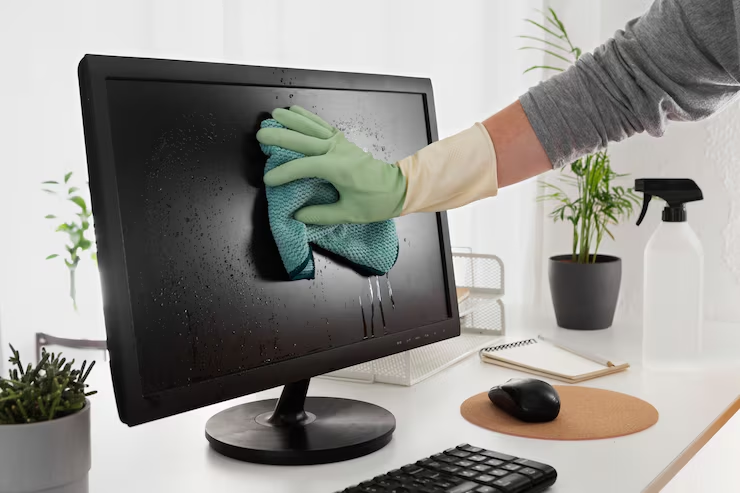
Computer Cleanup

Is your computer running slow? Our expert computer cleanup service removes junk files, malware & boosts performance. Book an appointment today!.

shape
shape
shape
shape
shape

Top Computer Cleanup Issues That Are Slowing You Down

Excessive Junk Files Accumulation
Slow System Performance
Startup Program Overload
Registry Errors and Corruption
Malware and Adware Presence
Duplicate Files and Data Clutter
Outdated Software and Drivers
Disk Fragmentation (HDD Users)
Browser Cache and Cookie Overload
Unnecessary Installed Applications
System Errors and Crash Logs Build-up
Low Disk Space Warning
Other Issue
choose

Your Trusted Computer Cleanup Experts, Available When You Need Us Most

We at WeSupport 365 know the importance of computers in your life and hence strive to resolve the technical problems that arise with them. From slow boot up times to sluggish systems and recurring issues, our team of highly experienced and qualified experts will solve all your computer woes. Our experts offer high-end computer cleaning solutions designed to provide you with a fast, efficient, and trouble-free machine. We ensure that each and every problem with your computer is resolved through a customized solution.

Our Professional IT Support Services

Complete Computer Cleanup Solutions Designed for Every User

Our experienced team of IT professionals is adept at dealing with any kind of computer cleaning problems using their best judgment and efficiency, in order for you to return to important work without unnecessary delay. We recognize that every computer and user has unique needs and configurations. This is why we do not provide a standard solution. We will evaluate your computer to determine the cause of the issue and proceed with an effective cleaning process.

service

Excessive Junk Files Accumulation

  1. Files Overloaded
  2. Storage Wasted
service

Slow System Performance

  1. Speed Reduced
  2. Tasks Delayed
service

Startup Program Overload

  1. Boot Delayed
  2. Programs Excessive
service

Registry Errors and Corruption

  1. Registry Damaged
  2. Errors Multiplied
service

Malware and Adware Presence

  1. Data Threatened
  2. Ads Intrusive
service

Duplicate Files and Data Clutter

  1. Space Wasted
  2. Files Repeated
service

Outdated Software and Drivers

  1. Drivers Outdated
  2. Software Unsupported
service

Disk Fragmentation (HDD Users)

  1. Disk Fragmented
  2. Data Scattered
service

Browser Cache and Cookie Overload

  1. Cache Overloaded
  2. Cookies Accumulated
service

Unnecessary Installed Applications

  1. Apps Unwanted
  2. Storage Consumed
service

System Errors and Crash Logs Build-up

  1. Errors Logged
  2. Crashes Repeated
service

Low Disk Space Warning

  1. Storage Full
  2. Space Critical
Section 4

Advanced PC Cleanup Assistance by WeSupport 365

With WeSupport 365, you will receive highly skilled assistance in sorting out any problems with system clutter and system performance issues. The reason behind it is quite simple – due to their constant use, the computers will accumulate some useless files, which will cause a decrease in computer efficiency. It is assured that our specialists will easily solve this issue. In addition, we will help you increase computer efficiency by deleting all unnecessary files from the hard disk drive, dealing with background processes and making your system more responsive.

OUR STORIES

We Have Completed 15 Years Of Business Experience

0 +

Device Installations Completed

Fast secure device setup

0 +

Satisfied Customers Worldwide

Trusted by happy clients

0 +

Supported Device Types

Printers computers phones tablets

0 +

Expert Tech Support

Anytime reliable technical assistance

service
Trusted Support Image
Trusted Design Support

One Expert, Every Performance Problem Solved

Working with a single computer specialist means you avoid the frustration of a support queue. You receive direct help from a dedicated professional who knows your system and understands your specific needs. This expert focuses on your device to ensure it runs at peak efficiency.

Ongoing Digital Care Plans

We don’t just fix issues — we continuously take care of your devices, security, and online life.

BASIC PLAN

$59.99 /month
Add family members at a discounted rate of $39.99/month per additional user.
Choose Plan
  • Choose any 2 devices of your choice
  • Email setup & basic troubleshooting
  • App installation & updates
  • Basic phone management
  • Email / WhatsApp support
  • Response within 24–48 hours
  • 1 monthly support session
  • Virus / fraud protection
  • Password management
  • Cloud management
  • Priority support
  • Advanced password systems
  • Full cloud automation
  • Ongoing monitoring
  • Unlimited devices
  • Digital legacy planning
  • Annual full system health check
  • Advanced parental control setup
  • VPN setup & privacy protection
  • Secure file sharing configuration
  • AI scam detection guidance
  • Business grade backup strategy
  • Device performance optimization

SILVER PLAN

$119.99 /month
Already subscribed? Extend your plan to family members for just $79.99/month each.
Choose Plan
  • Choose any 4 devices of your choice
  • Smart device integration
  • Virus protection setup
  • Fraud/scam awareness support
  • Suspicious email checks
  • Email management
  • Phone management
  • Basic cloud setup (Google Drive / iCloud)
  • Basic password guidance
  • Priority support (same-day response)
  • 2 monthly sessions
  • Advanced password systems
  • Full cloud automation
  • Ongoing monitoring
  • Unlimited devices
  • Digital legacy planning
  • Annual full system health check
  • Advanced parental control setup
  • VPN setup & privacy protection
  • Secure file sharing configuration
  • AI scam detection guidance
  • Business grade backup strategy
  • Device performance optimization

GOLD PLAN

$199.99 /month
Enjoy extended coverage for family members at a special rate of $139.99/month per user.
Choose Plan
  • Up to 10 devices
  • Full password manager setup
  • Secure account structuring
  • Digital account organization
  • Automated backups
  • Full file organization
  • Recovery planning
  • Ongoing scam monitoring guidance
  • Deep device security setup
  • Privacy optimization
  • Multi-device integration
  • Smart home optimization
  • Network-wide setup
  • Same-day priority handling
  • 4 monthly sessions
  • Direct contact priority
  • Annual full system health check
  • Advanced parental control setup
  • VPN setup & privacy protection
  • Secure file sharing configuration
  • AI scam detection guidance
  • Business grade backup strategy
  • Device performance optimization
Choose Paso

Frequently Asked Questions

These are the quick answers tocommon questions about how we get printers ready and installed easily.


choose
Contact Us

Contact Support

Get in Touch with Our Experts

Have questions or need professional IT assistance? Fill out the form below and our team will get back to you shortly.